
A plan-change call ends with a verified account and an agreed plan. The member knows when the change takes effect, when the new rate starts, and whether their tag, plate, or vehicle list needs an update. The next shift gets a note it can act on.
If the member is calling because the draft amount changed, not because they asked for a different plan, treat it as a price-increase call first. Use the car wash membership price increase call playbook.
Keep the member's requested change at the center of the call. Work from the wash's approved billing rules, and honor a clear request for a lower tier.
What should a plan-change call accomplish?
The call moves a verified member from their current plan to an available plan they asked for, under the wash's rules. Confirm the effective date and explain how the current billing period is handled.
The member's reason helps you explain the right options. "I'm washing less often" points to a downgrade. "I want the extra services" points to an upgrade. Neither needs a sales speech.
Open with one question: "What would you like to change about your current membership?"
Listen until you know what "change" means. A different tier belongs in this workflow. A temporary break, a cancellation, or a payment problem does not. Don't let a tier change become a workaround for an unresolved billing issue. For card-on-file problems, use the failed payment call playbook.
If the caller has no account yet and is choosing a first plan, it is a sign-up call, not a plan change. Read the plan sheet and send one path to join. See how to handle car wash membership sign-up calls.
How do I separate an upgrade from a downgrade, pause, or cancel?
The member's intended outcome sets the path. Confirm that outcome before you touch the account.
| Member's intended outcome | Call path | What I confirm |
|---|---|---|
| More services through a higher available tier | Upgrade | Requested plan and approved change timing |
| A lower available tier | Downgrade | Requested plan and approved change timing |
| A temporary break | Pause handoff | That a temporary break is the actual request |
| End the membership | Cancel handoff | That ending the membership is the actual request |
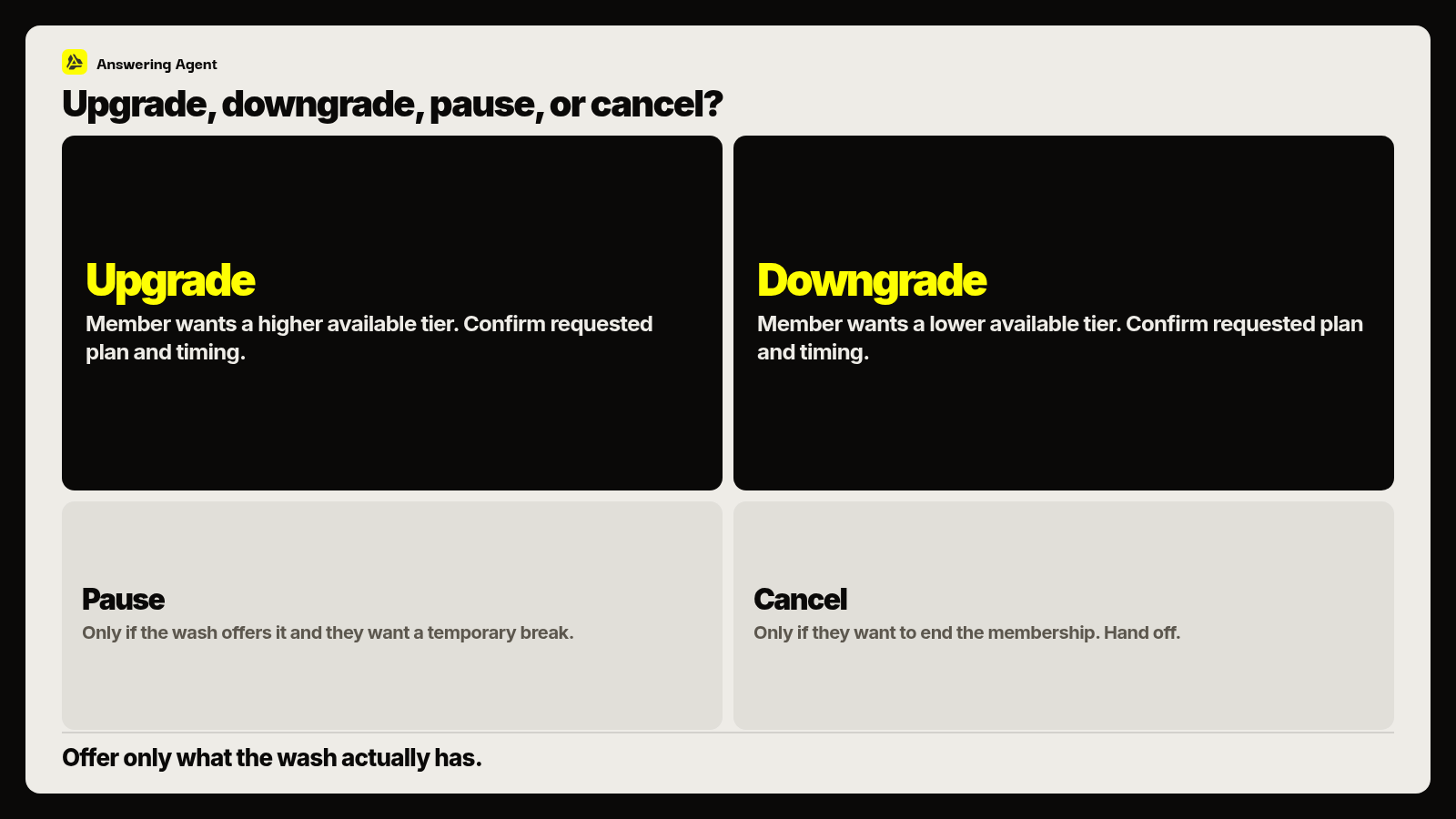
Route pauses to the membership pause call process and cancellations through the membership phone desk guide. Billing questions go to the membership billing phone calls desk guide.
"I need this to cost less" doesn't mean you pick the cheapest tier. Explain the available lower plan from approved information and ask whether its services cover what the member needs. If they don't, hear the next request. The member chooses; the wash's rules decide what you can process.
What steps should I follow during the call?
Upgrades and downgrades follow the same sequence.
Verify identity and find the right account
Follow the wash's verification procedure before discussing any change. Match the caller to the account and the vehicle record. A familiar name in the POS is not authorization. If verification is incomplete, leave the account alone and use the approved handoff.
Name the current plan
Read the plan name off the account rather than trusting the member's memory: "I have your current plan open. Is this the membership you want to change?" Resolve any mismatch first.
Hear the requested change and the reason
Ask which plan they want or what they want different. Note the reason in their words. Don't debate their washing habits.
Confirm the correct path
Say the request back so the member confirms a tier change rather than another action. Offer only tiers on the approved plan list. Don't offer an unpublished tier or grant a restricted change as a favor.
Explain the terms and get agreement
Give the plan's rate and included services from approved information. Explain when the plan takes effect, when the new rate begins, and what happens to the current billing period. Get agreement before processing. If a rule is unclear, get an authorized answer; don't invent a proration or refund policy.
Process the permitted change and check its status
Use the authorized workflow, then check the account. Completed, scheduled, and awaiting approval are different outcomes; tell the member which one applies. If someone else owns the next step, say what it is and who handles it.
Check the tag, plate, and vehicle list
A billing change can leave the tag, plate, or vehicle list out of date. Check whether any of them needs an update. If the member wants to add a vehicle, use the add-vehicle call playbook.
Read back the outcome and leave the note
Confirm the new plan name, effective date, and rate start. Name any tag or plate work and anything still pending. The desk note should match what you told the member.
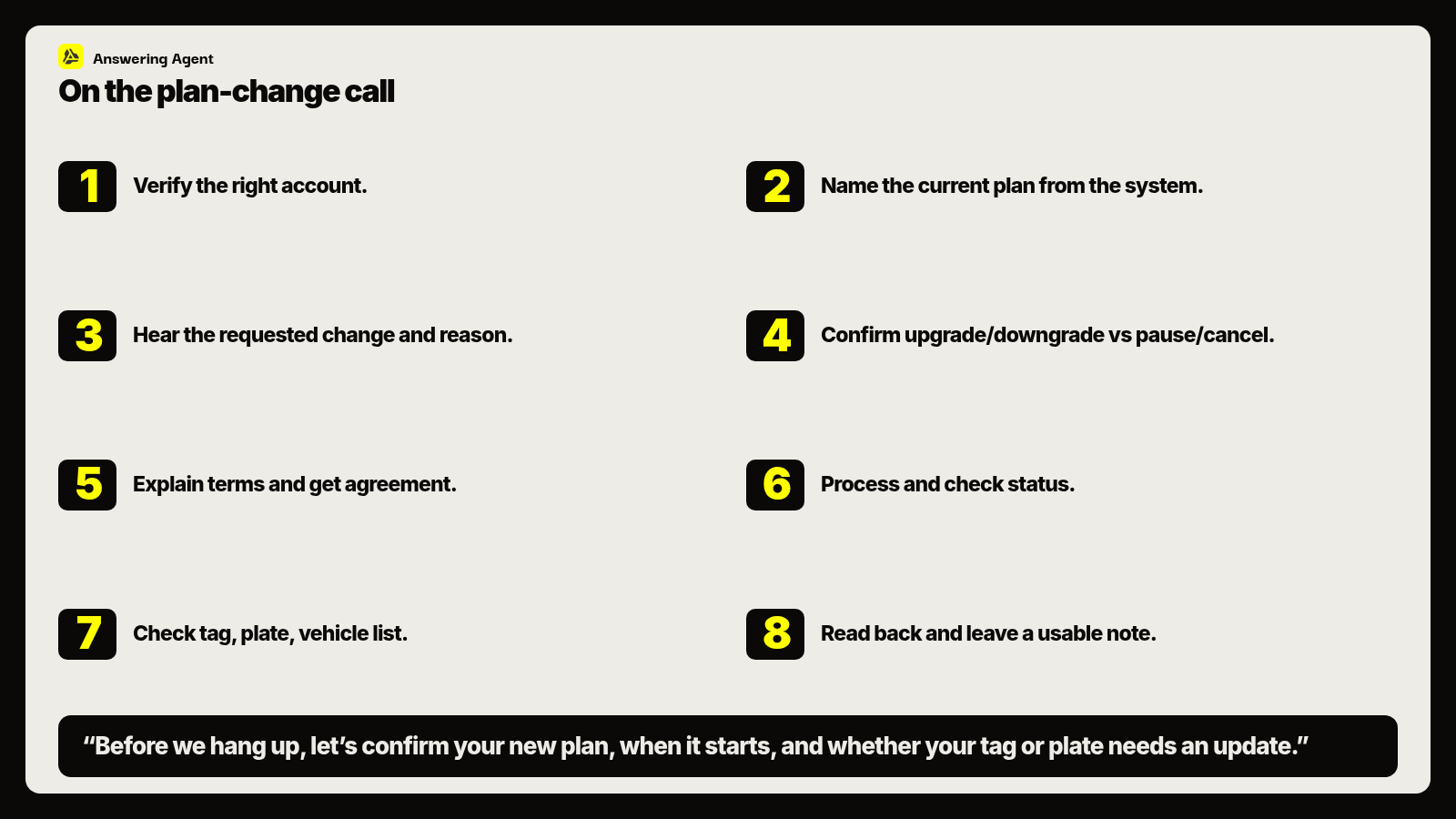
"Before we hang up, let's confirm your new plan, when it starts, and whether your tag or plate needs an update."
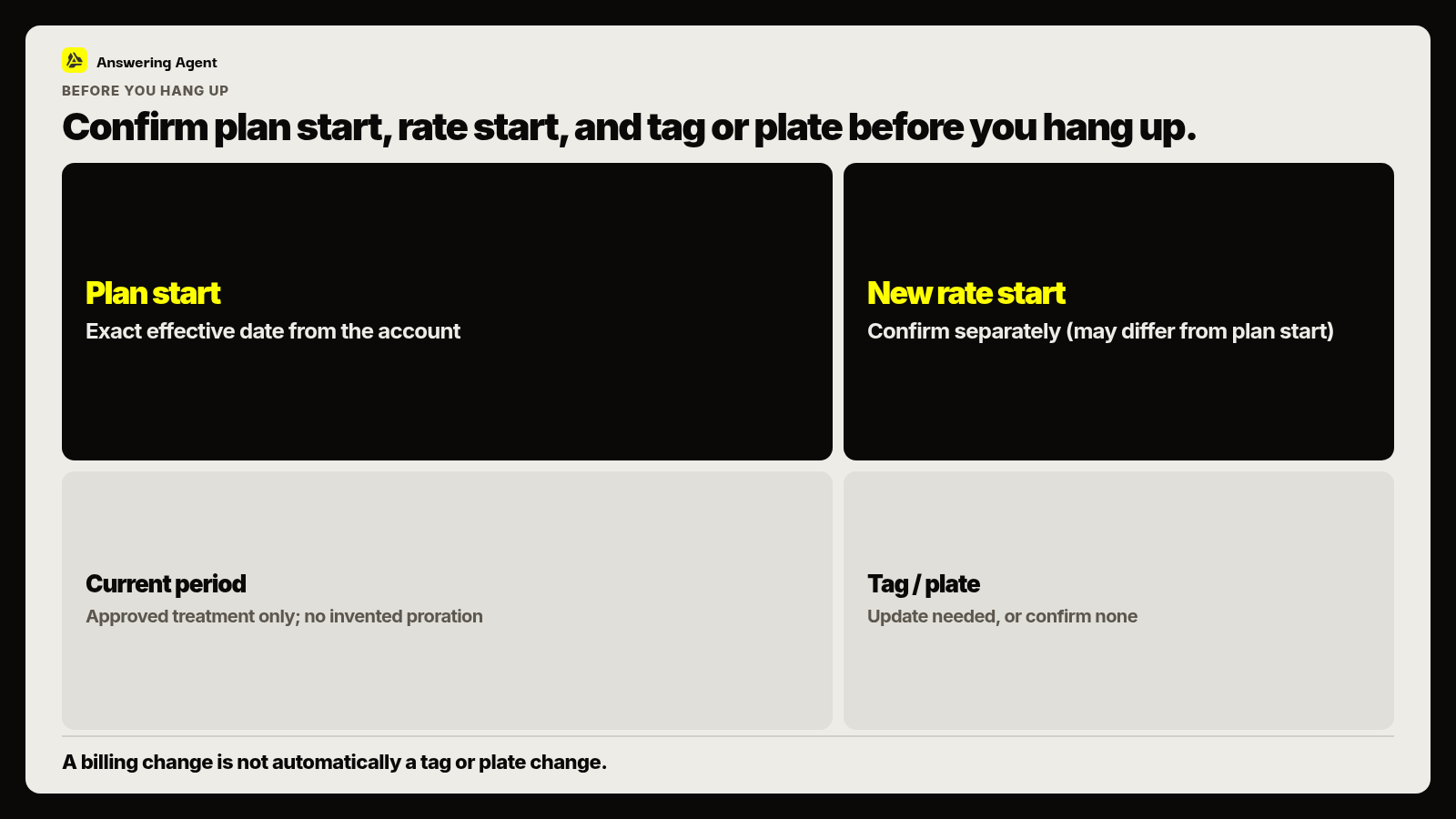
What needs a separate check before hanging up?
Check four things separately: plan start, rate start, the current billing period, and tag or plate work. One confirmed date doesn't settle the others.
Plan start. Use the exact plan name and the date on the account. "Next month" invites confusion when a specific date exists. Say whether the plan is active, scheduled, or waiting on action.
Rate start. Don't assume it matches the call date or the plan's effective date. State it, even when the dates are the same.
Current billing period. Explain what happens to the period already underway. Don't calculate an adjustment from memory or borrow another wash's policy.
Tag, plate, vehicle list. If the desk has a task, tell the member and record who owns it. If nothing is needed, say so.
What belongs in a useful desk note?
The next shift should understand the membership's status without reconstructing the call. Put the note in the approved account system and use the same layout every time:
- Verification completed, with no unnecessary sensitive details.
- Exact current plan name from the account.
- Requested plan, marked upgrade or downgrade.
- Member's stated reason, when relevant.
- Plan effective date and new rate start date.
- Current-period treatment as explained under the wash's rules.
- Tag, plate, or vehicle list update needed, or "none needed."
- Status: completed, scheduled, or pending.
- Who owns the next action and what the member was told to expect.
"Member changed plan" tells the next person nothing. "Manager will handle" needs to say what requires approval. Leave out opinions about the member's attitude; "requested lower tier" is all the desk needs.
What should I check before buying after-hours phone coverage?
Confirm the phone workflow follows the wash's plan rules and tells a completed change apart from a request waiting for review. Ask what the member hears and what the desk receives. Settle who resolves exceptions before anything goes live.
Bring this checklist to a review of Answering Agent for car washes. Test the phone answering features against your permissions, plan rules, and handoffs, and compare pricing with the coverage you need.
In the test, give it an unclear effective date and a change that needs desk action. Check that it follows your rules and flags what's unresolved. Then read the note it leaves for the next shift.
FAQ
What should a membership upgrade or downgrade call accomplish?
A verified account, an agreed available plan, and a clear outcome. Confirm the plan start, the rate start, and how the current billing period is handled. Check tag, plate, and vehicle list, and document anything pending.
How should staff handle a member who wants a lower-cost plan?
Explain the available lower plan from approved information and ask whether its services meet the member's needs. Don't choose a tier for them or argue the downgrade. If they want a pause or cancellation, use that process.
What must be verified before changing a membership tier?
Follow the wash's verification procedure, match the caller to the account and vehicle record, and confirm the current plan from the account. A familiar name in the POS is not authorization. If verification is incomplete, leave the account unchanged and hand off.
When should the new plan and rate take effect?
Confirm each date separately from account information; they may not match each other or the call date. Explain current-period treatment before processing. If proration or refund rules are unclear, get an authorized answer instead of promising an adjustment.
What should staff record after a plan-change call?
Verification completed, current and requested plan names, upgrade or downgrade, effective date, rate start, current-period treatment, any tag or plate work, status, and who owns the next action. The note should match the readback.
What should a wash check before buying after-hours plan-change coverage?
Whether the workflow follows your plan rules, separates completed changes from requests awaiting review, and flags unresolved work. Test an unclear effective date and a change needing desk action, then review the member readback and the desk note.
Book a walkthrough
See it handle your calls.
Book 20 minutes, or hear a sample call first.